We use cookies to make your experience better. To comply with the new e-Privacy directive, we need to ask for your consent to set the cookies. Learn more.

StyleSmuggler: What the Magento 2 Zero-Day Means for Your Store (and What to Do Right Now)
- September 13, 2026
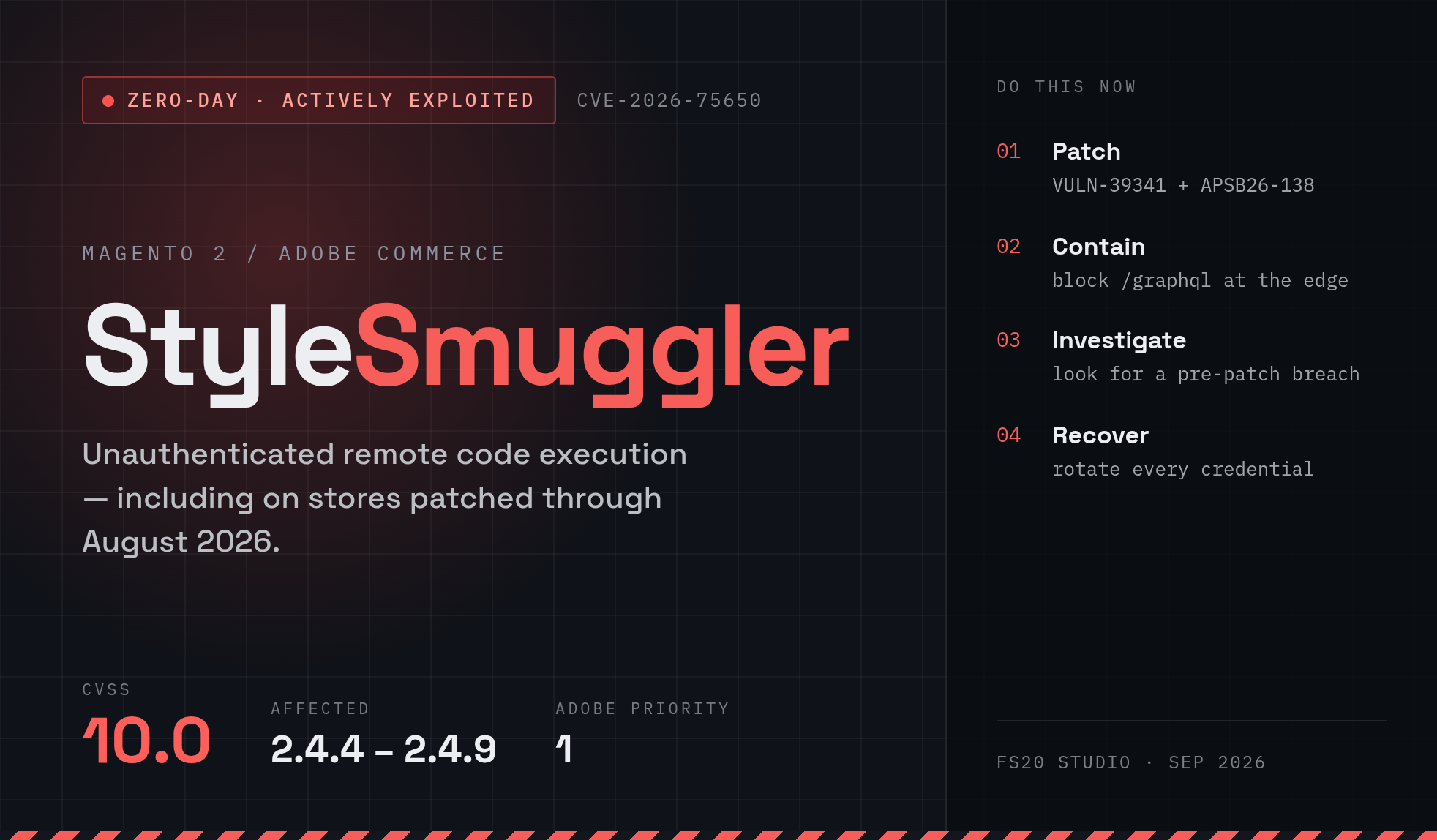
If you run a Magento Open Source or Adobe Commerce store, stop what you're doing and read this. A critical zero-day vulnerability nicknamed StyleSmuggler is being actively exploited in the wild, and it affects essentially every current version of the platform — including fully patched ones. This is as serious as Magento security incidents get.
Here's the short version, and then we'll walk through what it is and exactly what you should do.
TL;DR
- What: An unauthenticated remote code execution (RCE) flaw in Magento 2 / Adobe Commerce, dubbed StyleSmuggler and tracked as CVE-2026-75650.
- Severity: CVSS 10.0 — the maximum possible score. Adobe rated its bulletin (APSB26-146) as Priority 1.
- Who's affected: Every branch from 2.4.4 through 2.4.9, including stores that already installed the July and August 2026 security patches.
- Status: Actively exploited since September 4, 2026. Attackers don't need login credentials.
- Fix: Apply Adobe's emergency hotfix VULN-39341 immediately, plus the September 2026 security update (APSB26-138), then check whether your store was already compromised.
What is StyleSmuggler?
StyleSmuggler was discovered and named by the Dutch e-commerce security firm Sansec, which published an early advisory on September 5, 2026 — before a patch even existed — precisely because stores were being broken into in real time.
At a high level, the vulnerability lets an attacker sneak malicious PHP into data that Magento controls (such as its own report or log files), then trick Magento's template rendering system into processing and executing that code. The "styles" name comes from how the payload slips past existing safeguards using the styles properties in Magento's template layer. One documented trigger path even runs the injected code while Magento renders a failed payment notification email — meaning nobody has to click anything for the exploit to fire.
The two things that make this genuinely dangerous:
- No authentication required. An attacker doesn't need an admin account, a customer account, or any credentials at all. If your store is reachable on the internet and unpatched, it's exploitable.
- It survived recent patches. Sansec's first confirmed victim was running a recent release with the latest July and August security updates already applied. Being "up to date" as of late August did not protect stores.
Once in, attackers gain the ability to run arbitrary code on your server as the Magento system user — enough to install a persistent backdoor, harvest credentials, skim payment data, or plant a card-stealing script on your checkout.
The timeline
- September 4, 2026 — Exploitation begins in the wild.
- September 5, 2026 — Sansec discloses the vulnerability early, warning that stores are being compromised right now. No patch, CVE, or official Adobe advisory exists yet.
- September 7, 2026 — Adobe publishes an emergency hotfix (VULN-39341) and assigns CVE-2026-75650, rated CVSS 10.0. Adobe confirms active exploitation.
- September 8, 2026 — Adobe ships its regular September security update, APSB26-138, and states the VULN-39341 hotfix must be applied in addition to it.
- Ongoing — The malware keeps evolving. Early payloads disguised themselves as a [kworker/u:8:0] process; later variants masquerade as legitimate-looking fc-cache and chronyd processes, and a separate attacker has been seen dropping a PHP web shell into the product image cache.
Am I affected?
Almost certainly yes, if you're on Magento 2 and haven't applied the September hotfix. Adobe lists these as affected:
- Adobe Commerce: 2.4.4 through 2.4.9 branches (August 2026 security level or earlier)
- Magento Open Source: 2.4.6 through 2.4.9 branches (August 2026 security level or earlier)
Running the newest 2.4.9 release does not exempt you. If your last security work was the August patch cycle or earlier, treat your store as vulnerable.
What to do right now
Think of this as four separate jobs. Patching alone is not enough, because a store hit before you patched may already be backdoored.
1. Apply the official Adobe hotfix (VULN-39341)
This is the primary remediation. Adobe published the fix as a Composer hotfix on repo.magento.com. Always test in staging and take a fresh backup first.
For Magento Open Source / Adobe Commerce on-premises, from your Magento root:
# Download and inspect the hotfix archive
curl -fSLO https://repo.magento.com/patch/VULN-39341-composer-patches.zip
unzip -l VULN-39341-composer-patches.zip
unzip VULN-39341-composer-patches.zip

# Apply the patch matching your version, then flush cache
patch -p1 < VULN-39341_Hotfix_COMPOSER.patch
bin/magento cache:flush
If -p1 fails, Adobe recommends trying -p2
For Adobe Commerce Cloud, drop the patch into m2-hotfixes/, commit, and deploy through your normal Git workflow, then verify:
vendor/bin/magento-patches -n status | grep "39341\|Status"The VULN-39341 entry should read Applied.
2. Install the September 2026 security update too
Adobe is explicit: the VULN-39341 hotfix must be applied in addition to the regular September release (APSB26-138). One does not replace the other.
3. If you can't patch this minute, contain it
Temporarily blocking the /graphql endpoint at your edge (Cloudflare, Nginx, or Apache) is reasonable stop-gap containment — but only if your storefront doesn't depend on GraphQL (headless and PWA builds do). Check your access logs before blocking, and remember: this contains new attacks, it does not clean an already-compromised server, and it is not a substitute for the hotfix.
4. Check whether you were already breached
This is the step most people skip, and it's the one that matters most. If attackers reached your store before you patched, the hotfix locks the door after they may have moved in.
Start with read-only checks from your Magento root — don't reboot, delete, or redeploy yet, since a reboot or deploy can destroy the evidence you'd need:
# Suspicious cron persistencecrontab -l 2>/dev/null | grep -Ei 'gvfsd|fc-cache|chronyd|\.chrony-|\.cache/fontconfig'# Suspicious processes masquerading as system toolsps -eo user,pid,ppid,stat,comm,args | grep -iE '[k]worker|[f]c-cache|[c]hronyd'# Injection markers in Magento's own report/log filesgrep -Ril 'x_trace_' var/report/ var/log/ 2>/dev/null# Unexpected PHP files in the media directory (a classic web-shell hiding spot)find pub/media -type f -name '*.php' -print
A few important nuances:
- Legitimate processes share these names. Normal Linux servers run real kernel workers,
fc-cache, and oftenchronyd. Don't panic at every match — check the executable path withreadlink -f /proc/<PID>/exe. Malicious copies typically live in places like/tmp/.fc-*/fc-cacheor~/.cache/fontconfig/fc-cache, not/usr/binor/usr/sbin. - The implant often lives outside your web root. Scanners pointed only at
pub/or your project directory can report "clean" while malware runs happily from the user's home directory or/tmp. - An empty crontab is not proof of safety. At least one variant has been seen relaunching itself without any cron entry.
- Watch for odd UDP/123 traffic and unexplained bursts of "Payment Transaction Failed Reminder" emails — both have shown up as signals in real incidents.
If any of these turn something up, preserve the evidence before you clean anything (save the process list, copy the running binary from /proc/<PID>/exe, keep the relevant logs), then work through removal of persistence, malware, and any additional backdoors.
5. Assume credentials are burned — rotate them
If the server was compromised, an attacker had the same access the Magento Unix user has. After you've removed active malware (rotating while the attacker still has execution just hands them the new secrets), rotate everything that could have been exposed, at its source:
- Magento admin passwords and the Magento encryption key
- Database credentials
- Integration / REST / SOAP / GraphQL API tokens and OAuth secrets
- SSH and deployment keys
- Payment gateway, SMTP, ERP/CRM, and CDN credentials
Then invalidate active admin and customer sessions (for example, by flushing the Redis session database for your specific Magento instance).
The bottom line
StyleSmuggler is a maximum-severity, actively-exploited, unauthenticated RCE that got past stores which thought they were current. The response is not complicated, but it is urgent and it has more than one part:
- Patch — apply VULN-39341 and the September update, and verify.
- Contain — block
/graphqltemporarily if you can't patch immediately. - Investigate — check for signs of a pre-patch breach before you assume you're safe.
- Recover — if compromised, preserve evidence, remove persistence, and rotate every exposed credential.
If your store is on Magento 2 and you're not certain when it was last secured, the safest assumption is that it's affected. Patch first, then investigate — and don't treat a cleaned-up PHP file as the end of the story. A confirmed StyleSmuggler infection is a compromise of your whole server account, not just a bad file in your Magento install.
Need a hand? If you'd like Fs20 Studio to audit your store, apply the hotfix, and run a full compromise check, get in touch — this is exactly the kind of incident where a fast, thorough response makes the difference.
Sources & further reading
- Sansec — StyleSmuggler: Magento and Adobe Commerce 0-day RCE (CVE-2026-75650) under active attack: https://sansec.io/research/stylesmuggler-0day
- Adobe Security Bulletin APSB26-146 (VULN-39341 hotfix): https://helpx.adobe.com/security/products/magento/apsb26-146.html
- Adobe Security Bulletin APSB26-138 (September 2026 Commerce update): https://helpx.adobe.com/security/products/magento/apsb26-138.html
- Swiss Up Labs — StyleSmuggler Magento 2 Zero-Day: How to check, mitigate and clean an affected store (detailed defender runbook): https://swissuplabs.com/blog/stylesmuggler-magento-2-zero-day-how-to-check-mitigate-and-clean-an-affected-store/
This advisory is for defensive purposes. Details reflect what was publicly known as of mid-September 2026; the situation is evolving, so check the sources above for the latest indicators.
Comment(s)